Taming the (Second) Most Terrifying Monster: Stats
Imagine you're fresh off the credits of an incredible JRPG. Final Fantasy, Tales, Omori, Undertale...or heck, how about just Pokemon? You've always been a creative sort, so you find yourself wanting to take a shot at recapturing those feels and putting your own spin on it.
So you sit down, and you google "RPG Creator", or maybe even "RPG Maker". Lo and behold, there just so happens to be a product called RPG Maker right there. You download it, eventually fumble your way through finding the database, and that's when you see it.
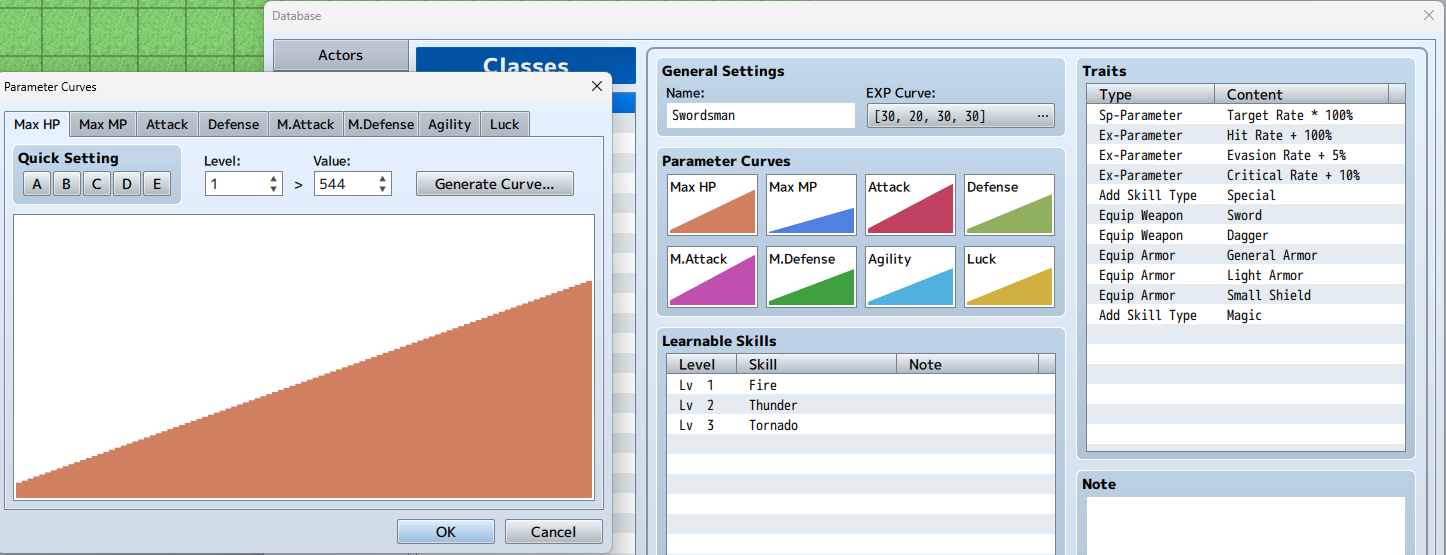
The more tabs you look at, the more numbers you see, because you didn't know the ugly truth about this genre.
It was all numbers. It was always numbers.
And these funny little creature collectors? Significantly more numbers. Not only do you have the base stats that are per species, but there's different stats and values for each monster you encounter, some of which are directly influenced by the player.
Let's say you sat down and decided that you wanted to create an entire region of a Pokemon-like, and decided on...how about 160 lil' guys? In traditional JRPG terms, that means 160 unique classes.
Now you have to figure out the stats, the learnsets, the abilities, and everything else you might not have thought about...all for 160 monsters, all by hand.
...Or do you?
Introducing: Procedural Data Grading
Obviously numbers are complicated. We all know this. But you know what's easy? Grading.
It's much easier to say that your pikabat has a Grade A speed stat, than to decide if it has 120-130 speed. Of course, you can't just decide that Grade A is 100-130, as it should be relative to the monster's overall potential.
The Stat Class
Of course, you're not gonna be grading anything if you don't know what you're grading.
public struct Stats
{
//Also adding luck because it's neat
    public int HP, SP, Attack, Defense, Magic, Resistance, Strength, Dexterity, Speed, Luck;
}
The first thing that may come to mind when it comes to creating a "stats class" is to do this
At first glance, this looks great. You can reference monster.Attack when you need your monster’s Attack stat. But what if you need to perform math on multiple stats at once? You’d have to write methods for every operator you want to support, and every combination of stat.
How about we don't do that, and we'll just create a class that is used for individual stats instead.
public class Stat
{
    public Stat()
    {
        label = "";
        grade = Grade.C;
        value = 0;

    }

    public string label; public Grade grade;
    [Range(0, 1100)]
    public int value;

     //You can use lambdas(=>) for methods that only have one instruction. When doing this, if your method has no arguments, you don't need to include ()

    public void ValueFromGrade(int multiplier, int offset) => value = ((int)grade * multiplier) + offset;
}
Explanation
- Grade is an enum based on the Japanese grading system, so F through S, with S of course being the best.
- [Range(min,max)] is a little Attribute that adds a slider to number variables
- ValueFromGrade is used to multiply the Grade enum by the multiplier, with an optional offset.
Dealing with the Monster Data
Now that we have a stat class, we need something that actually has stats. Enter the MonsterData ScriptableObject.
public class MonsterData : ScriptableObject
{
public Stat[] stats;
public Stat potential;
}
Our initial monster data script. Potential will be important later
ScriptableObjects are probably the most powerful tool in your Unity arsenal, due to the fact that you can create .asset file versions of them with a simple
[CreateAssetMenu(fileName = "New Monster", menuName = "Origin/Monster")]
Right on the top of the class.
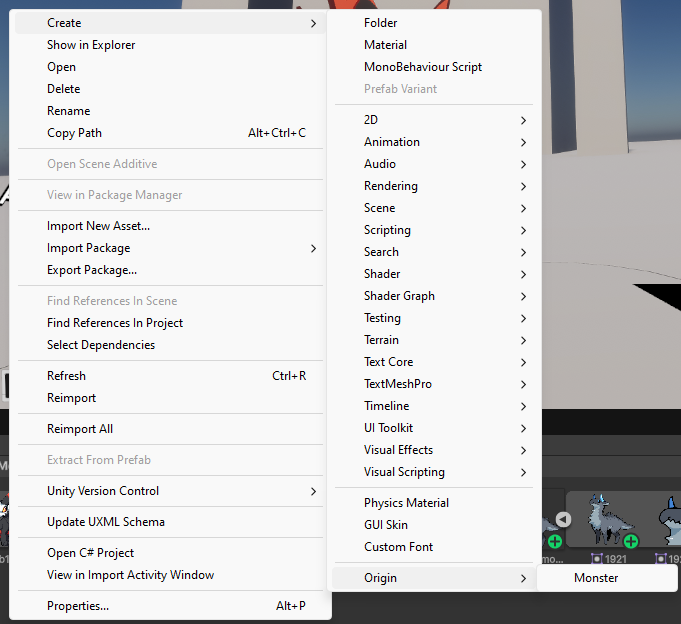
Now that we're able to create monster assets, it's time for some...
Validation Exploitation
ScriptableObjects have a special method called OnValidate(), which is triggered whenever the asset’s values are changed in the Inspector or recompiled. This is where the magic happens:
    private void OnEnable()
    {
        OnValidate();
    }

    private void OnValidate()
    {
        if (stats.Length != StatCount)
            ValidateStats();
        LabelStats(ref stats);

        potential.label = "Potential";
        potential.ValueFromGrade(150, 200 + Random.Range(0, 99));

        Random.InitState(GetInstanceID());
        StatsFromPotential();
    }
That OnEnable thing there lets OnValidate also be called when a ScriptableObject is created
Explanation
- StatCount is
public static int StatCount => StatNames.Length;which is the shortcut for getting the length of the method StatNames, which is justpublic static string[] StatNames => System.Enum.GetNames(typeof(StatType));
    void ValidateStats()
    {
        InitializeStats(out var newStats);
        for (int i = 0; i < StatCount; i++)
        {
            newStats[i] = new();
            var stat = this[(StatType)i];
            if (stat == null) continue;
            if (stat.label == newStats[i].label) newStats[i] = stat;
        }
        stats = newStats;
    }
Validate Stats is this method here. It basically makes sure that you retain values even when renaming or rearranging the StatType enum
Oh? What's this[]?
- this[] allows non-arrays to take advantage of square brackets.
- The code for this particular usage is
public Stat this[StatType type]{get{if (stats.Length < (int)type + 1) return null;return stats[(int)type];}set{stats[(int)type] = value;}}` - You can have as many this[] as you have arguments to put between the brackets, but only one per type.
- And yes, you can have multiple arguments.
ValidateStats calls InitializeStats:
public static void InitializeStats(out Stat[] stats)
{
    stats = new Stat[StatCount];
    for (int i = 0; i < stats.Length; i++)
    {
        stats[i] = new();
    }
    LabelAndGradeStats(ref stats);
}
public static void LabelAndGradeStats(ref Stat[] stats)
{
string[] labels = StatNames;
for (int i = 0; i < labels.Length; i++)
{
stats[i].label = labels[i];
//Adjusting the minimum range of the random range here lowers the variance of the howell divisor.
stats[i].ValueFromGrade(100, Random.Range(50, 99));
}
}
Here's the LabelAndGradeStats function.
Explanation
- When you create an array using new and a class is nullable, it won't intialize the class. So we have to call new() on every element.
- What the LabelAndGradeStats method does is--outside of its name--turns an array in the inspector from "Element 0, Element 1, Element 2..." to something a lot nicer.
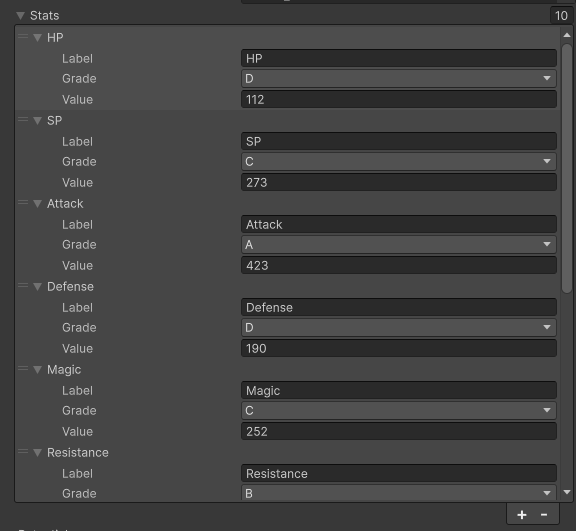
Of course, the value is way too high, right? I mean, look at the signficant different from D to C alone. That's where we whip out...
The Howell Divisor
So a couple years back, I came up with a handy little algorithm that allows you to distribute a value into weighted portions. The algorithm is a little big, but I'll try and explain it.
 static int Total(int[] input, out int output)
 {
     output = 0;
     foreach (var value in input)
         output += value;
     return output;
 }

 static int Highest(int[] input)
 {
     (int index, int value) output = (0, 0);
     for (int i = 0; i < input.Length; i++)
     {
         if (output.value < input[i]) output = (i, output.value);
     };
     return output.index;
 }

 static int Lowest(int[] input)
 {
     (int index, int value) output = (0, 0);
     for (int i = 0; i < input.Length; i++)
     {
         if (output.value > input[i]) output = (i, output.value);
     };
     return output.index;
 }

 public static int[] HowellDivisor(int whole, int[] portions, (int min, int max) variation)
 {
     int[] output = new int[portions.Length];

     float divisor = 0;

     foreach (int portion in portions)
     {
         divisor += portion;
     }

     divisor /= portions.Length;

     float equalPortions = whole / (float)portions.Length;

     for (int i = 0; i < output.Length; i++)
     {
         output[i] = Mathf.RoundToInt((equalPortions * (portions[i] + 1)) / divisor);
         output[i] += Random.Range(variation.min, variation.max);
     }

     while (Total(output, out var total) != whole)
     {
         if (total > whole)
             output[Highest(output)]--;
         else
             output[Lowest(output)]++;
     }


     return output;
 }
Alright, so you got a big pizza.
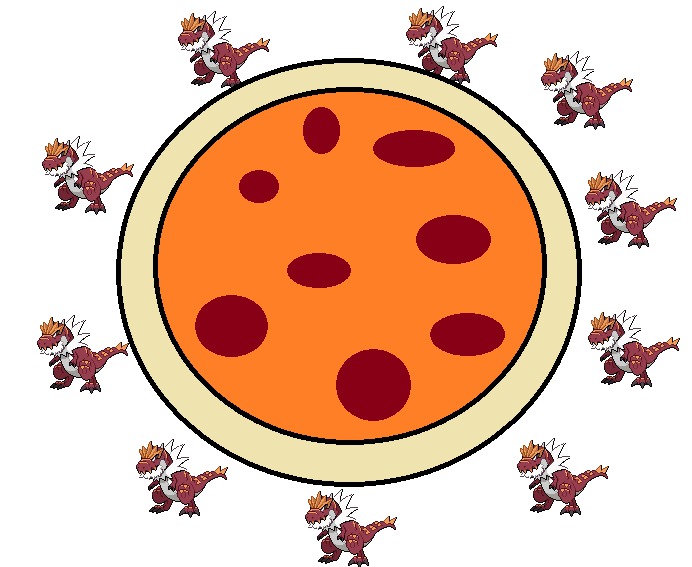
You're feeling a little lazy that night, so you refuse to cut more than 10 slices. Instead, you decide to ask your buddies how much of the pizza they want, and they give you vague answers like "oh, I just want a little" or "I'm a big guy, I need me some meats"
So instead of trying to figure out how to translate that, you just toss these suggestions into this handy little algorithm. First it figures out how to evenly distribute to those 10 people
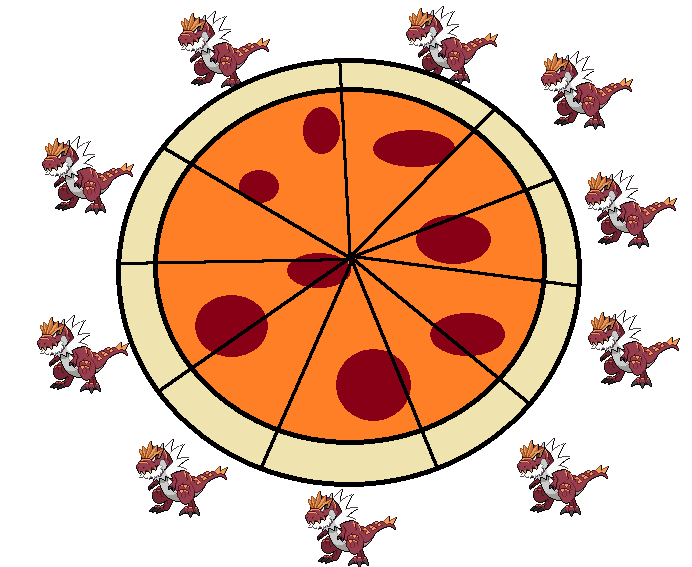
And then it adjusts based on those abstract sizes it was given to translate them into relative values based on how much pizza is there
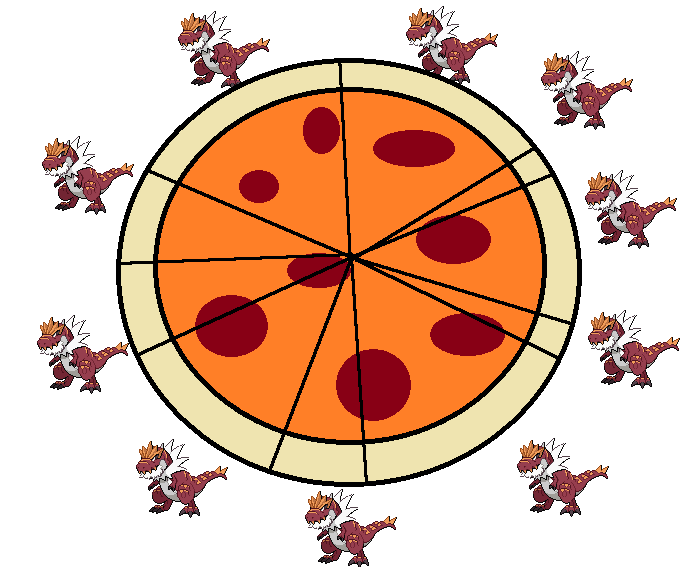
Since it's what's called Heuristic (which is a fancy way of saying "good enough"), it sometimes winds up with a little than we got. So, ink down the units and embiggen the little ones until it achieves perfect pizza equillibrium.
In the case of our monsters, that pizza is the Potential stat, and the different stat types are our friends.
 public void StatsFromPotential()
 {
     var portions = new List<int>();
     foreach (var stat in stats)
     {
         portions.Add(stat.value);
     }
     var hd = this.HowellDivisor(potential.value, portions.ToArray());

     for (int i = 0; i < hd.Length; i++)
     {
         int portion = hd[i];
         stats[i].value = portion;
     }

 }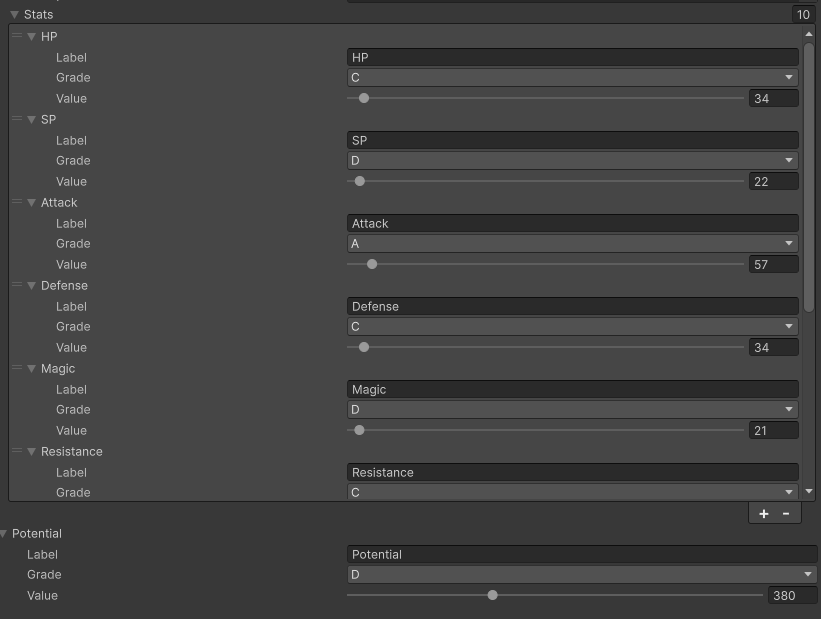
After all that, we finally have our Base Stats looking pretty reasonable. But monsters are more than just their base stats, right? After all, if we go back to RPG Maker...
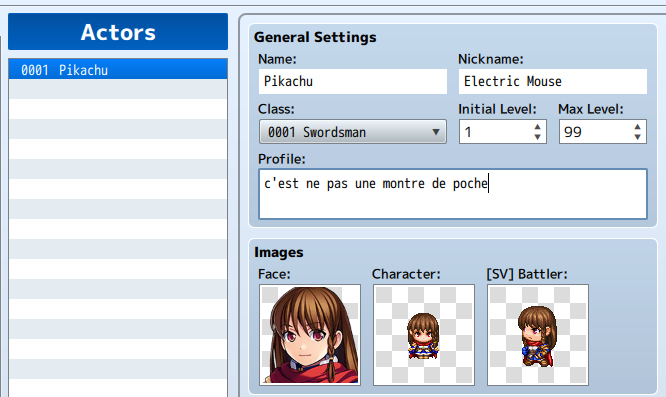
Or as I personally like to call them...
Individual Monsters
Like MonsterData, IndividualMonster is a ScriptableObject. Unlike MonsterData, we don't use the Create menu for this one, since this is instance-only data.
public class IndividualMonster : ScriptableObject
{
    public MonsterData data;
    public Stat[] stats, individualValues, trainedValues;
    public int level, hp, sp;
}
Our initial script
Explanation
If you don't know, in pokemon there are 4 different modifiers for stat calculation: stats, individual values, trained values, and nature.
- Individual Values are a random number between 0-31 per stat
- Effort Values are 0-255, but are divided by 4. There's also a limit of 510 overall
- Natures are a 1.1x multiplier for positive stats, and .9x for negative
I'm not bothering with nature yet, and I'm still deciding how to personally handle trained values, since I really don't like EVs.
Before all that, though, we need to have a function that actually builds an IndividualMonster.
public static IndividualMonster Create(int level, MonsterData data)
{
    var monster = CreateInstance<IndividualMonster>();
    monster.data = data;
    monster.name = data.name;
    monster.level = level;
    InitializeStats(out monster.stats);
    InitializeStats(out monster.individualValues);
    for (int i = 0; i < monster.stats.Length; i++)
    {
        monster.individualValues[i].value = Random.Range(0, 256);
        monster.stats[i].value = monster.CalculateStat(i, level);
    }

    monster.hp = monster.stats[(int)StatType.HP].value;
    monster.sp = monster.stats[(int)StatType.SP].value;
    return monster;
}
Explanation
Unity hates new for ScriptableObjects. Don't do it. But because of that, we can't have an intializer function, leading to us having create our own implementation.
So to "properly" create a scriptableobject, we use the CreateInstance method.
After that, we can then plug int the different values as we need, generate the IVs, then we calculate the stats based on the current level.
public int CalculateStat(int index, int level)
{
    float value = 0;
    var type = StatValues[index];
    var levelMultiplier = (float)level / 100;


    switch (type)
    {
        case StatType.HP or StatType.SP:
            value = 10 + level;
            break;
        default:
            value = 5;
            break;
    }

    var statInfluence = data[type].value * levelMultiplier;
    var ivInfluence = individualValues[index].value * (level / 256f);

    value += statInfluence + ivInfluence;

    return (int)value;
}
Explanation
- This is very loosely based on Pokemon's stat methods, but the "naive" approach
- It lacks EVs and Natures, and the way stats play with ivs are different
And with that, we can begin the process of
Making these Bois Functional
There's a lot to this part, but here's a quick overview of the battle scene I showed in part 1.
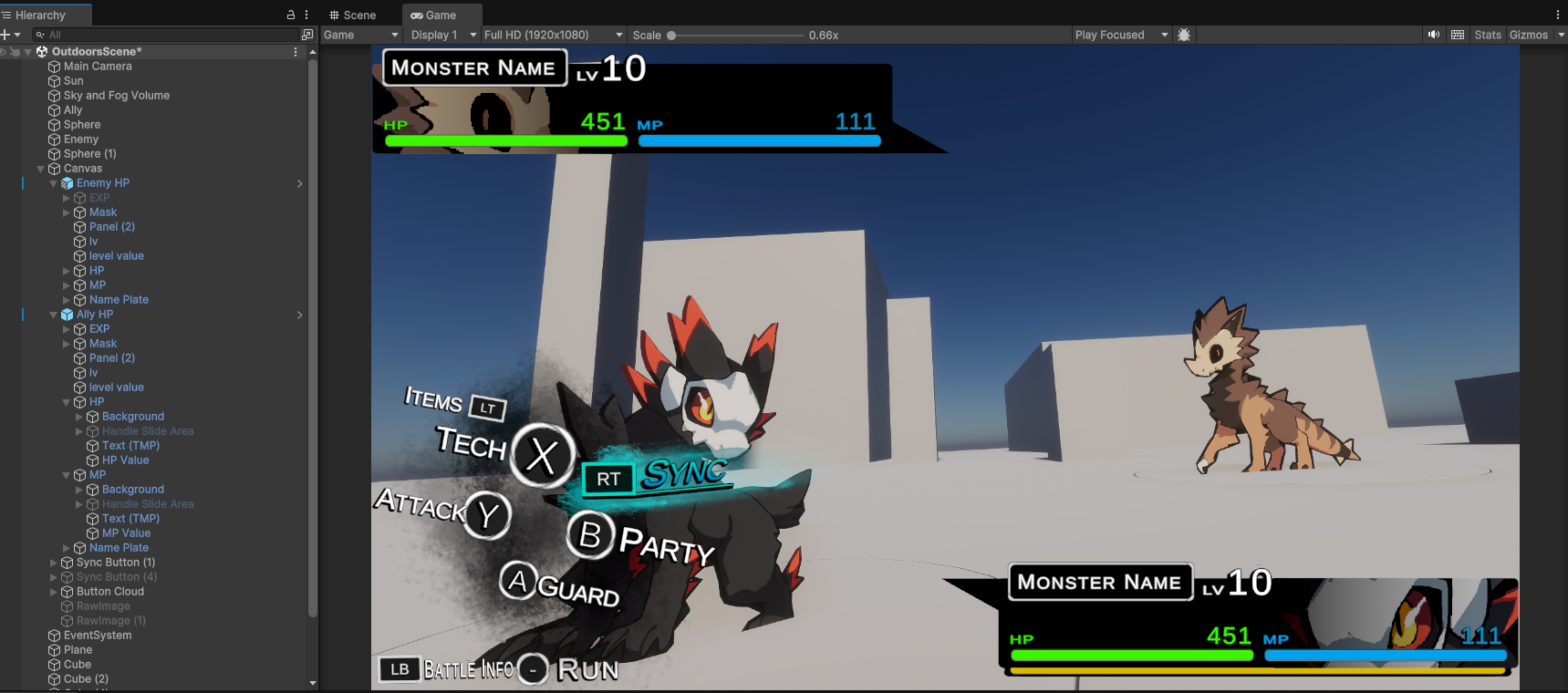
Our primary focus is going to be
- The Game Manager: Which also handles the battle
- Monster Cards: Those little UI status box things on either side
- Battlers: The monsters on the field
Game Manager
You should always have one of these. Generally, Game Managers are persistent GameObjects that store player info, which for us will just be the players party for now.
Our Game Manager object is going to be broken into 3 classes right now: GameManager, BattleManager, and BattleTest.
GameManager
public class GameManager : MonoBehaviour
{
    public static GameManager instance;
    public List<IndividualMonster> playerParty;

    void OnEnable()
    {
        instance = this;
    }
}
Really basic.
By using the instance reference, other classes can grab the GameManager without needing to find it.
BattleManager
public class BattleManager : MonoBehaviour
{
    public List<IndividualMonster> encounterParty;
    public static BattleManager instance;

    public Battler player, enemy;

    public List<MonsterCard> cards;

    public void StartBattle()
    {
        cards[0].Set(encounterParty[0]);
        cards[1].Set(GameManager.instance.playerParty[0]);
    }

    // Start is called once before the first execution of Update after the MonoBehaviour is created
    void OnEnable()
    {
        instance = this;
    }
}
We'll get to MonsterCards in a bit, but BattleManager stores the opponent's party. It's not my favorite approach, but it works for now.
BattleTest
public class BattleTest : MonoBehaviour
{
    public MonsterData player, enemy;
    // Start is called once before the first execution of Update after the MonoBehaviour is created
    void Start()
    {
        Random.InitState(System.DateTime.Now.Millisecond);
        BattleManager.instance.encounterParty.Add(IndividualMonster.Create(20, player));
        GameManager.instance.playerParty.Add(IndividualMonster.Create(20, player));
        BattleManager.instance.StartBattle();
    }
}
BattleTest is a temporary script that I'm using to create monsters that are level 20 for the player and the opponent.
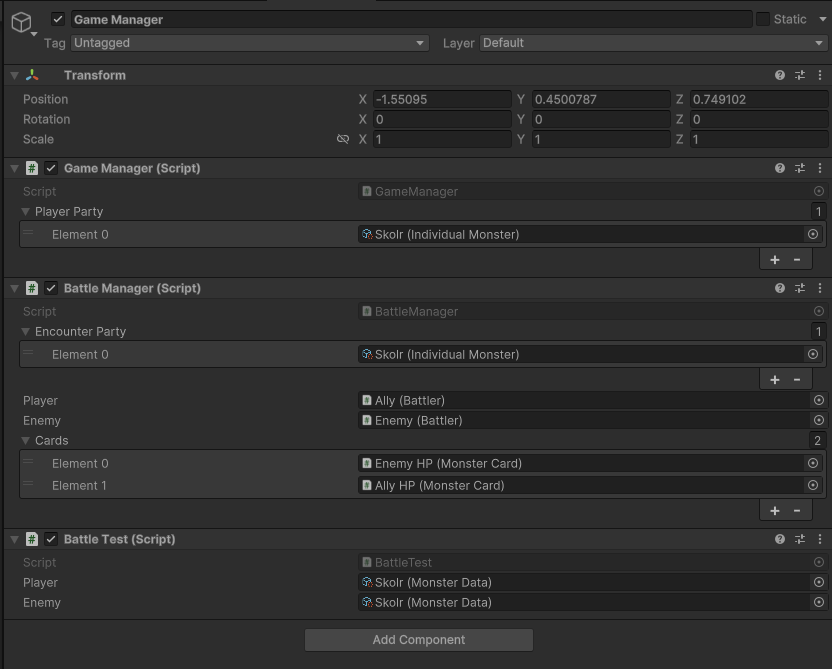
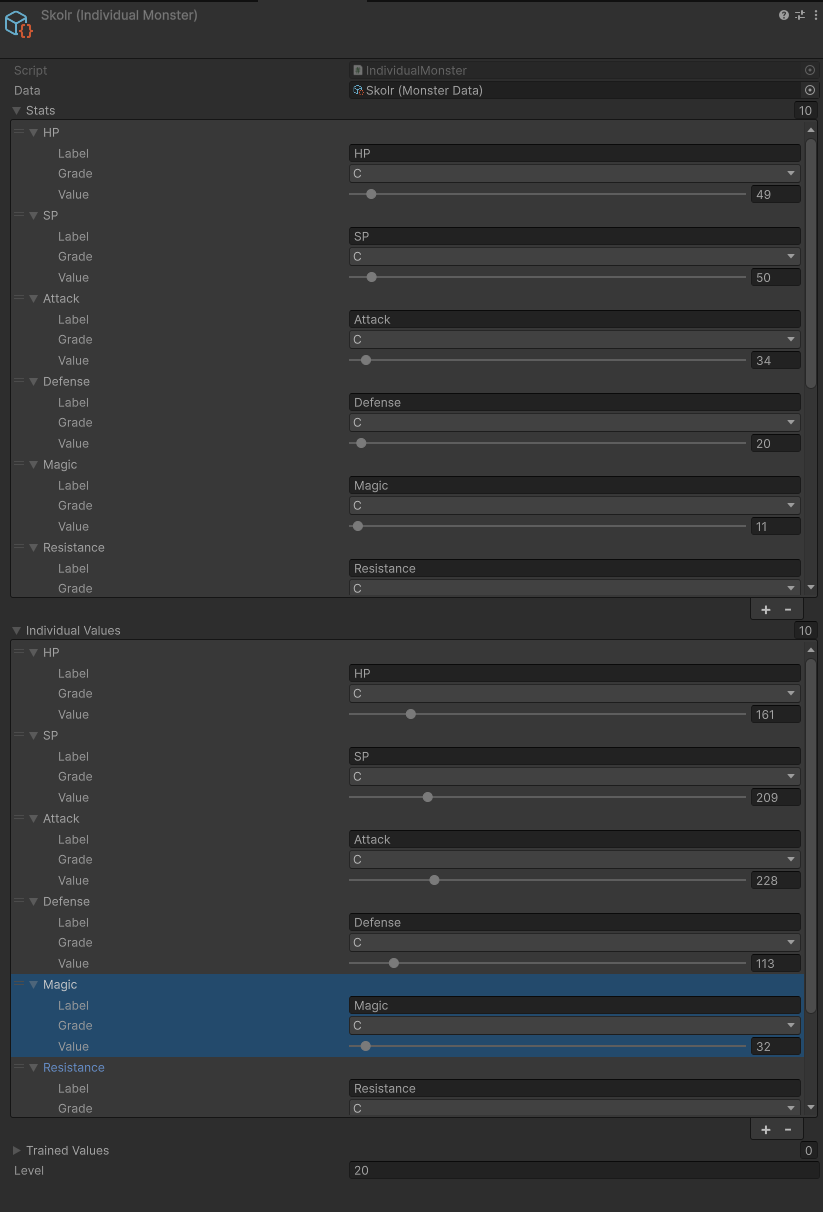
Monster Cards
With all that out of the way, we now need to make the cards reflect the monster they're bound to. It's all already set up in the BattleManager's StartBattle() method, so we just need to make the class.
public class MonsterCard : MonoBehaviour
{
    public Image icon;
    public TMP_Text level, hpValue, mpValue;
    public new TMP_Text name;
    public Slider hpSlider, mpSlider; //TODO: Add EXP slider
    public Battler battler;

    public void Set(IndividualMonster monster)
    {
        icon.sprite = monster.data.face;
        level.text = monster.level.ToString();
        hpValue.text = monster.hp.ToString();
        mpValue.text = monster.sp.ToString();
        name.text = monster.name.ToString();
        hpSlider.maxValue = monster.stats[(int)StatType.HP].value;
        mpSlider.maxValue = monster.stats[(int)StatType.SP].value;

        hpSlider.value = monster.hp;
        mpSlider.value = monster.sp;

        battler.Set(monster);
    }
}
It's very brute-force, and I also chose to make it so that battlers are also tied to these cards. This lets them be automatically switched the moment a card's info is updated.
public class Battler : MonoBehaviour
{
    public IndividualMonster monster;
    public new SpriteRenderer renderer;

    public void Set(IndividualMonster newMonster)
    {
        monster = newMonster;
        renderer.shadowCastingMode = UnityEngine.Rendering.ShadowCastingMode.TwoSided;
        renderer.sprite = newMonster.data.battleSprite;
    }
}
The Battler script is really basic. As an aside, that little shadow casting thing is the ONLY way to get a sprite to cast shadows. Neat right?
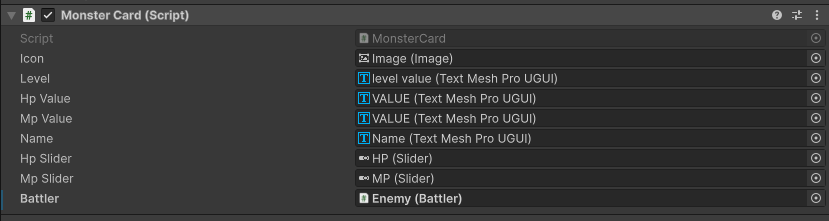
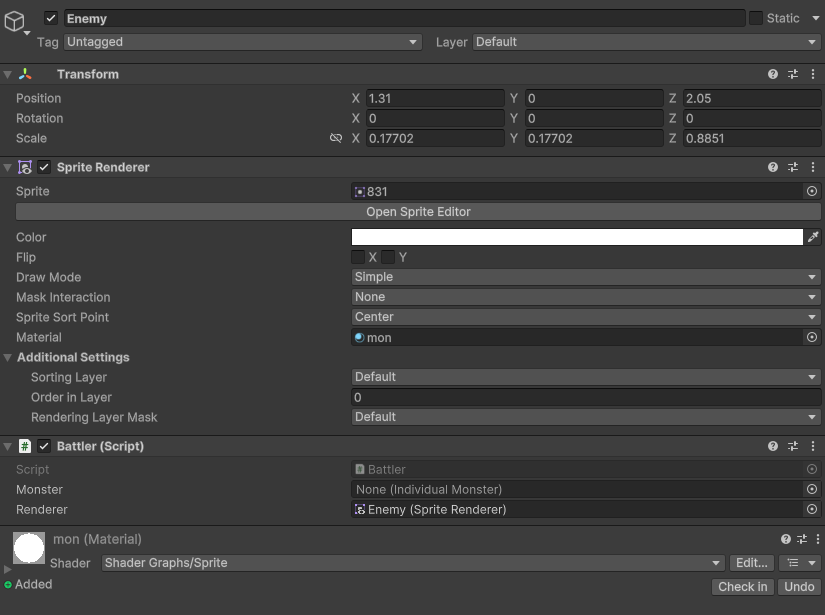
And then, we hit play
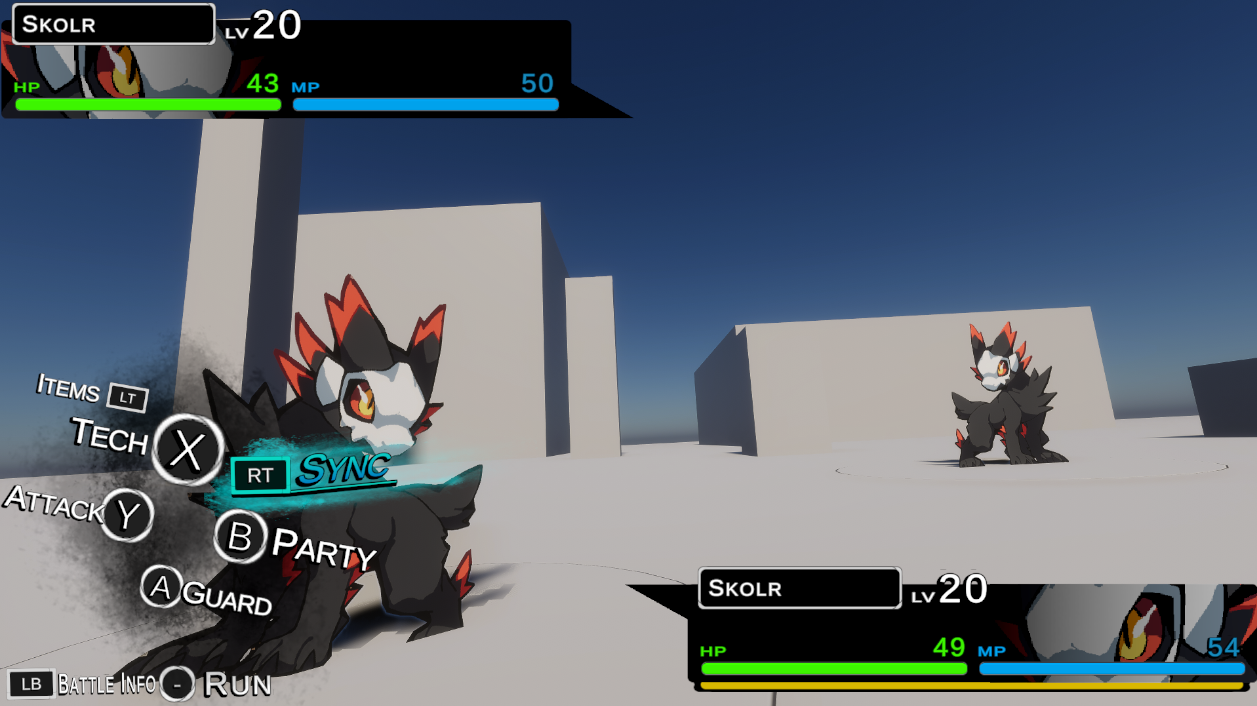
And that's it. Our stats can now be generated at will and they'll accurately show on the UI, making it closer to being functional.
Tune in next time, where we dive into the complexities of skill/moves/techs/artes/whatever
Read part 3 here.
Member discussion